
UX and SEO best practices ensure these two work in harmony in your eCommerce. UX stands for User Experience and is often thought of as better engagement through ease of use of your website or app. SEO, of course, stands for Search Engine Optimization and is the science (or art!) of making your site or pages appear at the top of the organic search results.
When UX and SEO combine, however, the real marketing magic happens.
Remember UX starts right from when the shoppers make a search in a web browser, and quality SEO can help provide a positive IN-SERP user experience. But their relationship gets even closer once you have hooked that traffic and users are browsing your website.
A positive UX will help reduce bounce rate within your websites, increase page depth, increase conversions, encourage repeat experience, and even share your site.
Higher user engagement means that the website is relevant to the users’ search queries, impacting improving your SEO ranking.
Here are a few ways to make this happen:
UX used to be siloed off with the IT department, but it’s crucial the team now interact with your SEO staff. This is because they essentially have the same goal: helping the customer get what they want. Configure the Google Analytics dashboard to monitor both and have regular meetings to strengthen your plans.
Begin the whole content/website/marketing/UX process by doing extensive keyword research. Learn what words people use to describe you or your competitor’s service or products to find you — factor that into the site’s design through page structure, site maps, and anchor text.
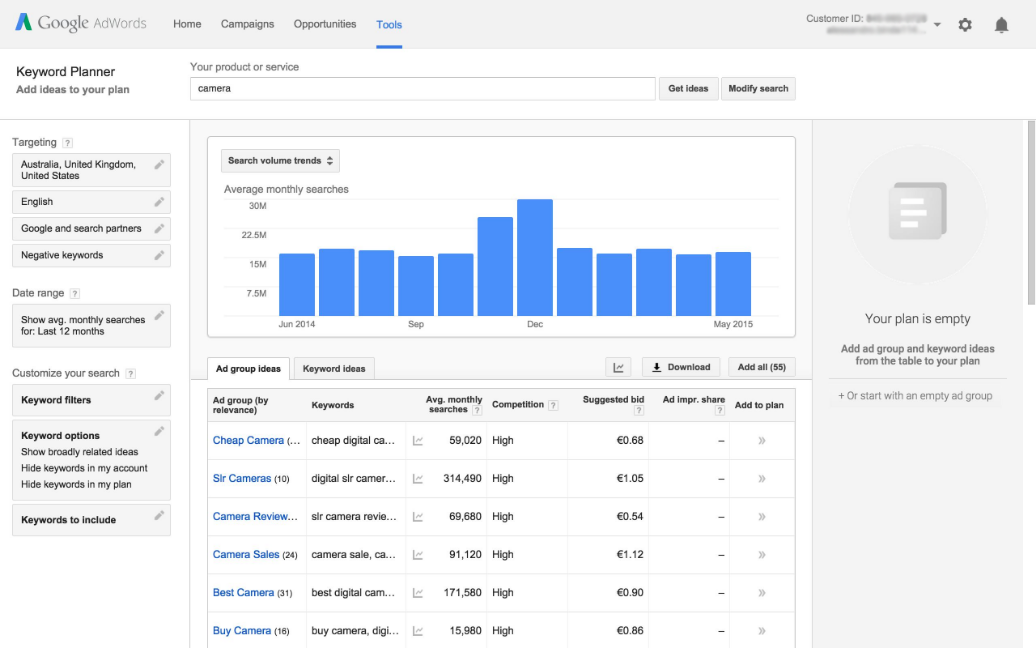
Search engines can bring an enormous amount of traffic. But before visitors even know what your site looks like, you’ve got to draw them in with descriptive content that tells them you’ve got what they need. Write an intriguing meta description of 150 characters that will make you stand out from your competition.
Optimize all images and make sure the “alt” and description tags are filled with keywords and related terms. A slow-loading site filled with unnecessary graphics lessens the UX; a site optimized and has all images tagged loads faster and therefore rises in the rankings.
Approximately ⅓ of your visitors leave right away if it’s hard to navigate on their mobile device. Period!
Think of your website as a book. Each chapter focuses on a different part of your business. Users searching for a specific service may pull a separate URL within the site directory based upon their search, which is unlikely to be the home page. The best SEO practice is to include your page’s keywords in the URL.
The header tag not only lets your visitor know more about the page they are visiting, but it’s also something search engines index for your ranking. Only have one H1 tag at the top of the page, and make sure it contains your keyword(s)!
Your website should never be static: you need to learn from both successes and failures and create new goals as you achieve your previous ones.
An effective UX means a happy user who will stay longer on your site and find what they are looking for – and if you’re lucky, they might even find things that they weren’t! Quality content that fulfills their needs will be rewarded with more sales and higher SERP.
Our experts at Tavano Team can help you balance both UX and SEO best practices to drive your conversion rates and improve your eCommerce business’ experience. Contact us today!
NetSuite hit the stage in Las Vegas a year ago and introduced NetSuite The next… Read More
For mid-market B2B brands running NetSuite, two platforms dominate the storefront decision: SuiteCommerce Advanced and… Read More
SuiteCommerce Advanced development is one of the more specialized skills in the eCommerce agency market.… Read More
One of the most consequential SEO decisions for eCommerce merchants is how to structure product… Read More
BigCommerce has become a leading choice for B2B brands building online storefronts. Its B2B Edition,… Read More
Based on an analysis of 7 million websites, SiteLock reported that websites experience an average… Read More


