Much has been talked about eCommerce personalization, where online businesses tailor web pages’ content to individual users’ characteristics or preferences. Personalization, considered by our SuiteCommerce developer team many as the “Holy Grail” of eCommerce, benefits online stores by displaying the right products to shoppers at the right time, help them navigate through the path that works best for them, or tailor marketing copy to fit the audience in question: in fact, in 2022, 60% of consumers say they’ll become repeat customers after a personalized shopping experience.
eCommerce personalization, done well, is where product data and merchandising strategy mix – truth to be told, it has been quite a challenge for online merchants to implement it. Today we are going to talk about how through your SuiteCommerce Advanced web store you can provide a personalized experience using Merchandising Zones and the Site Management Tools Areas. It’s not a complete personalization engine but it’s an interesting start.
Using Merchandising Zones:
First, you need to make sure you have installed the Product Merchandising SuiteApp. Through this SuiteApp you can define and display merchandising zones displaying complementary, cross-sell or up-sell products. The content for these merchandising zones can be set by rules around shopper behaviour. Following the example mentioned in NetSuite Help pages, if you are a sporting goods retailer, and a shopper narrows the search criteria by “Men”, you can trigger the display of a merchandising zone offering men’s accessories.
Rules applied to the merchandising zone are set when creating a product Merchandising Rule. This screen allows you to select items to be displayed based on Facet Fields (previously defined at Setup Web Site > Search Index), product sorting, field set to display and number of results, among other available selections.
Basically the power behind Merchandising Rules lies in each retailer’s creativity to build rules based on shopper behaviour. It’ll help them to easily find products, generate cross and up-selling opportunities, increase average order value, while offering them through smart merchandising criteria. For example, through merchandising zones you could offer shoppers high profit margin products that match their searching criteria; featured products or products with high stock levels.
Finally in order to fully set a merchandising zone, this is the recommended flow:
Using Site Management Tools:
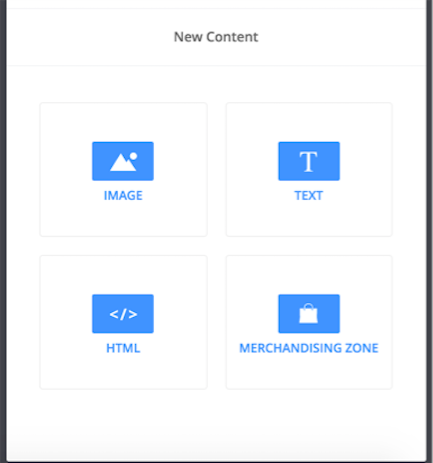
Site Management Tools (SMT or also known as CMS) is a great and powerful feature available in SCA websites latest versions. It has many applications, but in this post we are focusing only on how it can help deliver a personalized experience to your shoppers. Through Site Management Tools Areas Scope you can determine on which pages a given content (Images, Text, Merchandizing Zone or HTML) displays. Scope options are: All Pages, Page Type, or This Page.
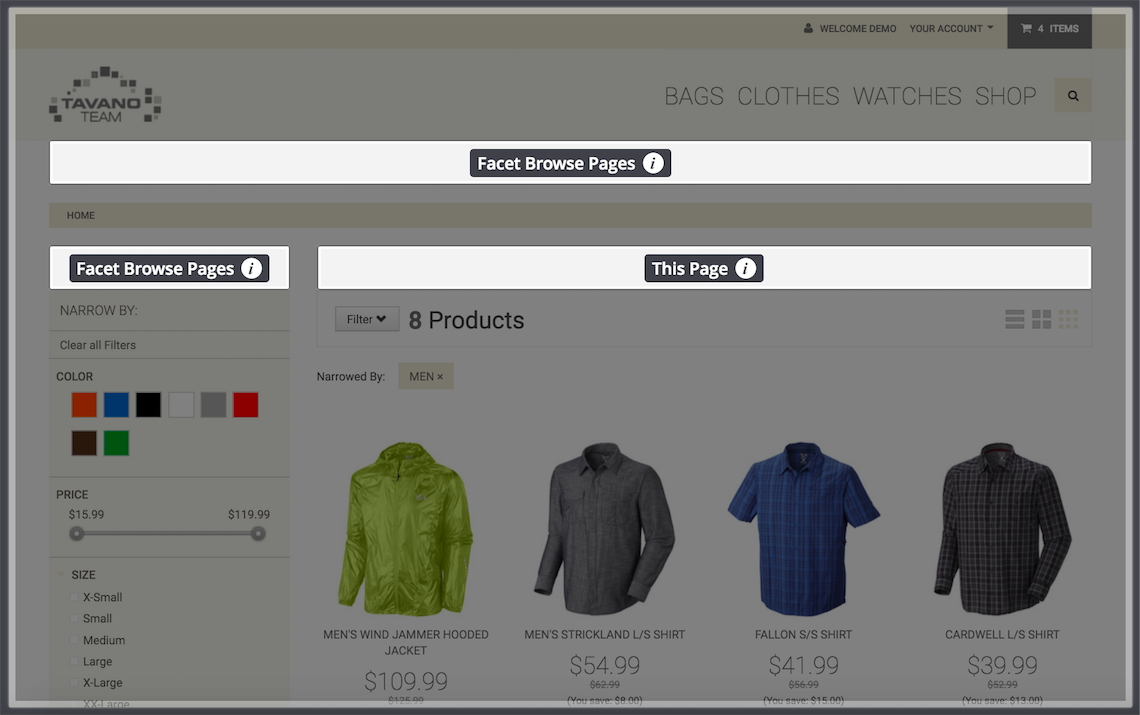
“This Page” scope (data-cms-area-filters is set to path) allows to display specific content to shoppers visiting a specific page.
For example, following the example above, you can display a specific promo code promotion banner only to shoppers that have narrow their search by “Shirts” and “Men”. You could display a free shipping promo relevant to this product type, a helpful link to men shirts on sale, a list of father’s day selected products, and the list goes on.
Making the online shopping experience as simple as possible for your potential customers will give amazing results. Apart from personalization, here’s some other tips that will help increase your sales, like selecting the right theme or making product videos!
Don’t hesitate to contact our NetSuite eCommerce experts to find other ways to optimize your eCommerce growth strategy and increase conversions!
Don’t forget to check out our NetSuite eCommerce services too:
NetSuite hit the stage in Las Vegas a year ago and introduced NetSuite The next… Read More
For mid-market B2B brands running NetSuite, two platforms dominate the storefront decision: SuiteCommerce Advanced and… Read More
SuiteCommerce Advanced development is one of the more specialized skills in the eCommerce agency market.… Read More
One of the most consequential SEO decisions for eCommerce merchants is how to structure product… Read More
BigCommerce has become a leading choice for B2B brands building online storefronts. Its B2B Edition,… Read More
Based on an analysis of 7 million websites, SiteLock reported that websites experience an average… Read More